AI AI-powered book creation
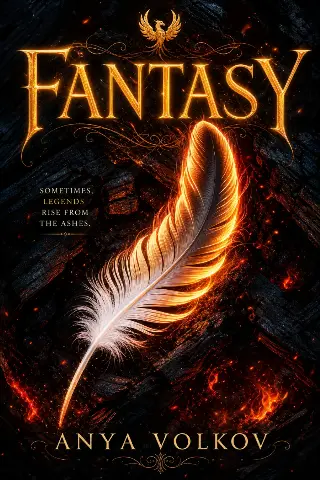
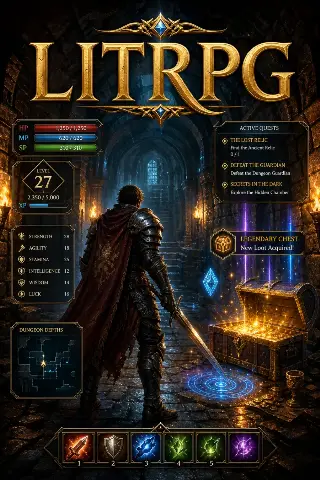
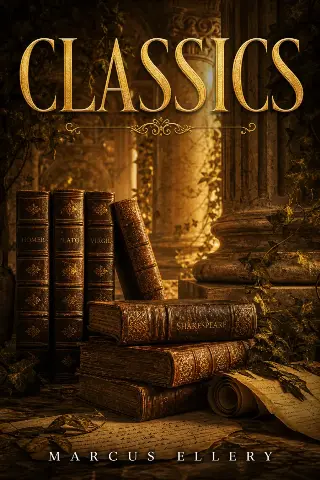
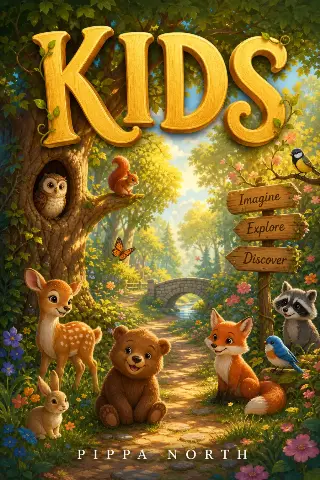
100+ Book categories
Print-ready PDF Reader-ready export
KDP EPUB, DOCX, and KDP files

Turn a blank idea into a publish-ready book.

Choose a genre, generate titles and outlines, draft chapters, refine tone, preview like an ebook, and export PDF, EPUB, DOCX, or KDP-ready files in one book-focused workflow.

  • Genre-aware titles, outlines, and chapter maps
  • Book-focused editing for structure and voice
  • Reader preview with PDF, EPUB, DOCX, and KDP export options

Four clear steps from idea to manuscript.

01

Choose a book lane

Pick the category that matches your story or topic.

02

Generate the foundation

AI builds titles, briefs, and chapter direction.

03

Draft and refine

Polish chapters with book-focused editing tools.

04

Preview and export

Review the reader experience, then export PDF, EPUB, DOCX, or KDP files.

Automatic mode or assisted writing—both produce a book.

What changes is how much you write. Choose after you approve the chapter plan.

Speed

Automatic mode

You provide the title, topic, and chapter count. The manuscript is written in one job. Typical wait is 10–90 minutes depending on length.

  • Best for a fast first draft
  • You review after the run, not during it
One-sitting path
Recommended

Assisted writing

Stay in control. Generate, rewrite, or replace one chapter at a time. No full-book queue—work at your own pace.

  • Rewrite any passage without starting over
  • Recommended if voice and continuity matter
Chapter-by-chapter path

Choose a category. Start generating your book.

This is where your manuscript begins. Search a genre, open a lane, and let AI shape the first draft with you.

Everything a real book needs—without the tool chaos.

Modern AI book platforms win when writing, structure, cover, and export live in one calm workflow.

Genre-aware outlines

AI builds chapter maps that match Romance, Fantasy, Business, and more—so your draft has direction from page one.

Chapter writing & polish

Draft long-form chapters, then refine tone, clarity, and flow with book-focused editing tools—not a blank chat box.

Cover + reader preview

Generate a publishing-style cover and preview the manuscript the way readers experience an eBook.

PDF & Word export

Download clean, share-ready files when the manuscript is ready—for clients, KDP prep, or your next launch.

Full Control Book Editor

Unlike basic one-click generators, AI Book Maker gives you a complete 3-panel editor — write, edit, and regenerate any chapter with an AI assistant by your side, every step of the way.

  • Three-panel writing workspace for chapters, manuscript content, and AI tools
  • Regenerate, rewrite, expand, shorten, or polish any chapter without starting over
  • Create chapter narration and keep editing from the same author dashboard
Chapters Ch. 01 Ch. 02 Ch. 03
Manuscript

The First Draft

Write, revise, and shape every chapter inside a focused AI book editor.

AI Assistant

Ready for publishing—when your manuscript is.

Export polished files in EPUB, PDF, or Word—formatted for digital shelves, print workflows, and major publishing platforms worldwide.

  • Reader-ready EPUB for eBook stores
  • Print-oriented PDF with trim-size options
  • Editable DOCX for final polish and layout

Whether you write fiction, authority guides, or series—start here.

Fiction

Storytellers & novelists

Lock genre, outline arcs, and draft chapters with a consistent voice across Fantasy, Romance, Thriller, and more.

Fiction genres
Nonfiction

Coaches & experts

Turn expertise into structured books—Business, Self-Help, Leadership—with clear chapters and export-ready formatting.

Guide templates
Publishing

Indie creators

Move from idea to cover, preview, and PDF in one product—so you spend time polishing, not stitching tools together.

Public library

Writers stay because the flow feels built for books.

“Category-first outlining gave me a real manuscript plan the same night—not another pile of scattered notes.”

Jack Morrison Romance author

“The chapter editor and PDF preview feel purpose-built for publishing. That’s rare in AI writing tools.”

Rebecca Shaw Business writer

“Generate, refine, preview, and share in one calm flow. It’s why I keep coming back to finish books.”

Matt Donovan Independent publisher

Common questions about AI Book Maker.

Quick answers about ownership, exports, editing, and credits. See the full FAQ page for every detail.

What is AI Book Maker?

AI Book Maker is a web workspace for planning, drafting, editing, and exporting a full-length book. You choose a genre, approve an outline, write or generate chapters, add a cover, then download files for readers or stores.

Who owns the rights to my book?

You retain ownership of the manuscripts you create. You may publish, sell, or share them, subject to the stores and laws you use. Review the draft before publishing and follow each platform’s disclosure rules.

How long does a first draft take?

Automatic mode often finishes a draft in about 10–90 minutes, depending on length and queue. Assisted mode lets you write one chapter at a time with no waiting for a full-book job.

What can I download?

You can export PDF, EPUB, DOCX, and a KDP-ready package. Preview the file before you share it so headings, cover text, and chapter order look correct.

Can I edit after the first draft?

Yes. Rewrite, expand, shorten, or change tone on any chapter. You can also regenerate a chapter, lock a writing style, and keep a Story Bible so later chapters stay consistent.

How do free credits work?

New accounts receive starter credits to try planning, drafting, covers, and export. Extra generation uses paid credit packs from the pricing page. There is no subscription required to begin.

Your next book should start today.

Pick a category, claim your free credits, and let AI Book Maker guide you from idea to publish-ready manuscript.